How To: Add Locations to Un-Geotagged Photos Before Posting to Your Instagram Photo Map

How To: Add Locations to Un-Geotagged Photos Before Posting to Your Instagram Photo Map

Instagram introduced Photo Maps back in 2012, a feature allowing users to showcase where they've taken photos and explore where others have been, all through an interactive map.Through the hyperlinked location at the top of each photo, you can go through a timeline of all of the public photos that have been tagged in that locale, painting a comprehensive picture from the unique perspective of each and every user that experienced it. A few years ago, I travelled to London to study abroad and I brought along my camera to capture the city, mostly to share the experience with my friends and family when I got back home. Since I was busy enjoying my time there and didn't always have readily-available internet access, I didn't upload very many pictures to Instagram.When I got back home, I edited all the pictures I took and decided to upload a few to Instagram as a part of "Throwback Thursday" (aka #tbt), but I was disappointed to find out that I couldn't tag the photos in the location they originated from.From my location in Los Angeles, I was only able to pull up local search results. That meant I couldn't properly tag the photographs I took of artwork at the Tate Modern, the Stonehenge monument, or the plays I watched at the Globe Theatre.If you've found yourself with the same problem, there's actually an easy fix to tagging all of your old photos in the correct location, no matter where you took them or where your current location is. Please enable JavaScript to watch this video.

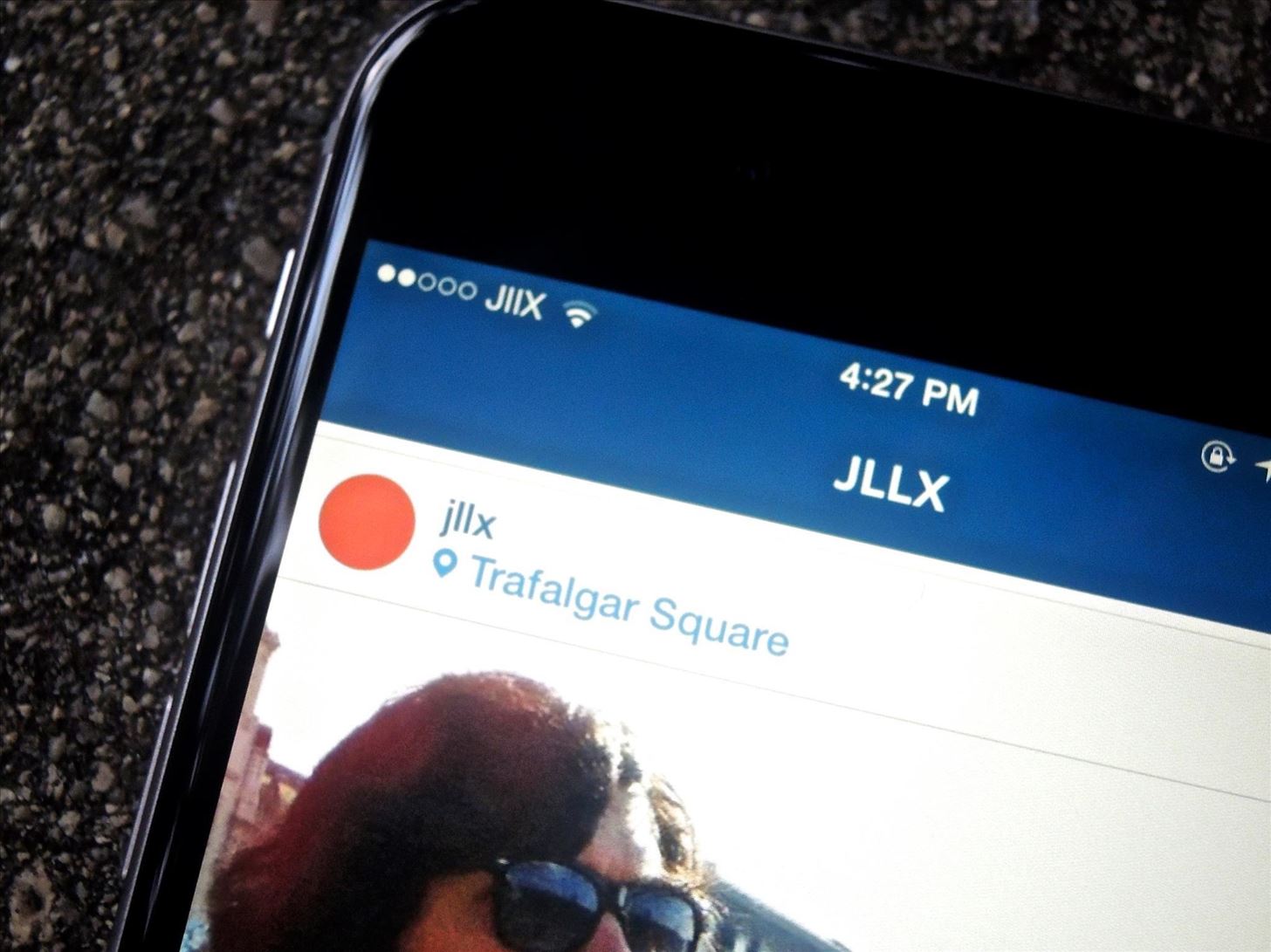
Step 1: Use Koredoko to Set GeotagInstall Koredoko from Norio Kawabata in the iOS App Store, open the app, then find the picture you want to geotag. Once you find the photo, hold your finger down on it and move it to the location you want.I dragged my picture, which was taken in Trafalgar Square several years ago, to Westminster, London in the United Kingdom, then set the picture down near Trafalgar Square. When your location is set, tap on the information icon and select "Save with Metadata."

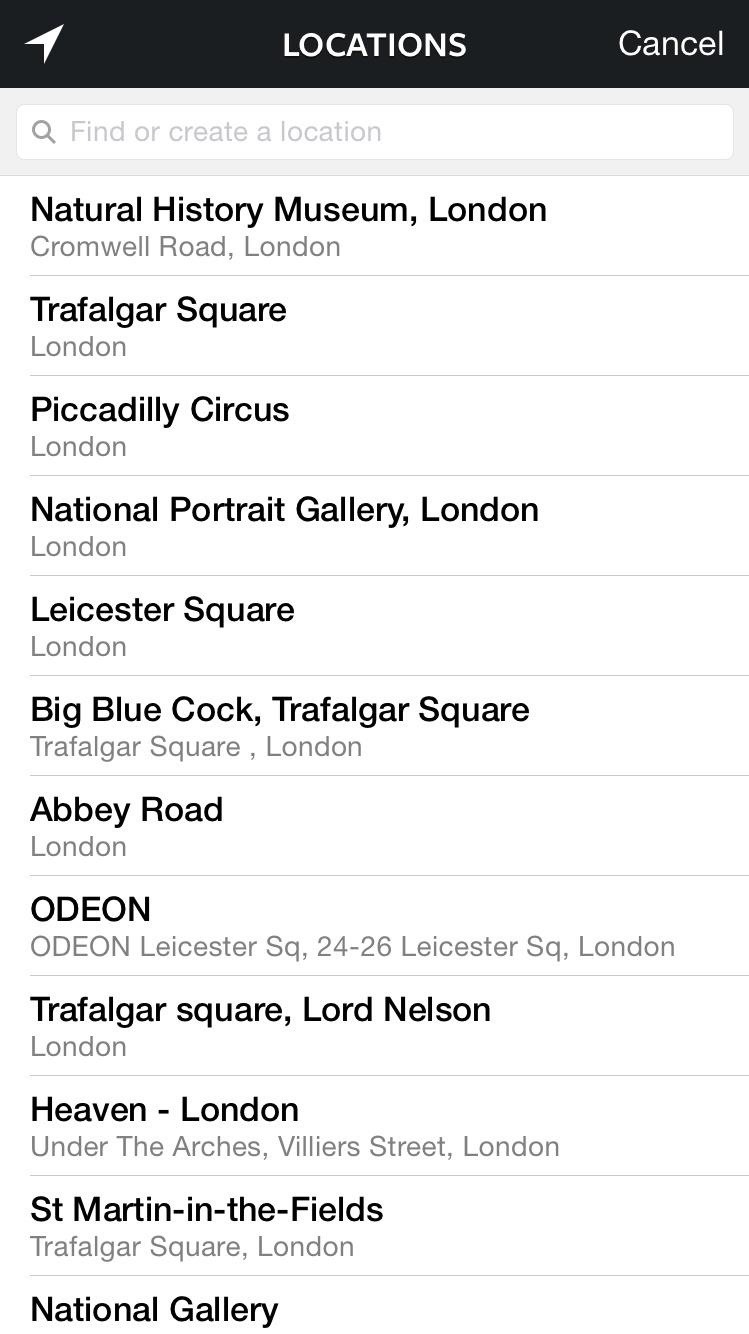
Step 2: Upload to InstagramA new picture will be saved in your Camera Roll, which you'll be uploading to Instagram. Throw on all the filters you need, then go to "Name This Location." Instead of local search results, you'll see locations near the area you geotagged the picture in.As you can see below, Trafalgar Square was the second option in the list of locations. If your location doesn't show up, search for it and you should be able to find it. After adding your caption, post it to Instagram. If you want to make sure it was properly placed in your photo map, tap on the blue hyperlinked location right above your post. My picture was tagged in London, even from my current location in Santa Monica, California. You can also go to your profile, head to the Photo Map, then check if your picture is in the right place. Use this to tag all of those old photographs in the right location, to give your Photo Maps to look a bit more accurate and complete. Let us know how Koredoko for iOS works for you in the comments below.


We've already detailed the 15 best new iOS 13 features coming to your iPhone and iPad later this year, and it's a fantastic list.Highlights include the new system-wide Dark Mode users have
Every important new thing iOS 13 will bring your iPhone this


Surely though you should be able to just swipe up on them like with any other iOS device. This is a massive flaw in the iPhone X. They had a similar issue on the iOS11 beta for iPad, you had to press and hold on the app to close it, but they rectified that so you can just swipe up.
Can't close apps on your iPhoneXS/XR/X or - AppleToolBox


How To: Mark exact spots on a Firefox webpage with the Dog Ears extension How To: Train a pet cockatiel to do tricks How To: Say the names of animals in Japanese How To: Identify the common crow when bird watching
How to Translate languages using Google Firefox Extension


How To: Unblock applications on Facebook Block and unblock Facebook applications Remove, Block & Unblock Facebook Applications
What is unblocking and how do I unblock someone on Facebook


How to set exit task simplest way. How to set exit task simplest way. Skip navigation Sign in. Advanced Use of Tasker -- Make Your Phone Work for You - Duration: 8:48. xdadevelopers 183,174 views.
How to do an exit task - Tasker | Android Forums


Translate anything in Firefox. Translate Man is a translation extension for Firefox that you may use to translate anything on-the-fly. The extension works a bit different to how Chrome's translation feature works, but it uses the Google Translate API for its translations.
Make Sense of Any Text--In Any Language--With gTranslate


Star Trek is an American science fiction television series created by Gene Roddenberry that follows the adventures of the starship USS Enterprise (NCC-1701) and its crew. It later acquired the retronym of Star Trek: The Original Series (TOS) to distinguish the show within the media franchise that it began.


The general rule of thumb here is to make sure your image meshes with the style of the social sharing site. For Instagram, that generally means sharing a photo snapped with your smartphone. If you can, then, make a habit of grabbing a few shots of your work on your phone, for sharing purposes.
3 Ways to Create Reminders on an Android - wikiHow


News: Google Docs Meets Instagram in Google's Next Social App News: For the First Time, You Can Help Name Android How To: Share Photos & Videos from Your Google Glass to Facebook & Twitter News: Google Will Automatically Translate Reviews No Matter What Country You're In
Google's New Group Messaging App Is Like Pinterest & Hangouts


Is it possible to connect BOTH a set of bluetooth headphones and regular headphones (via the headphone jack) at the same time so that 2 people can listen? Currently, when I connect the bluetooth headphones and listen to music and then plug a regular headphone into the jack, the music stops playing in the bluetooth headphones.
How to Connect your iPad to your Ford car using the Sync

How to Switch Your Galaxy S9's Navigation Bar to Black


Perhaps one of CyanogenMod's greatest features was its built-in theme engine. It wasn't perfect, but it got the job done and gave users a unique look. Now that CyangenMod is defunct, and the developers behind its successor, LineageOS, have confirmed they won't be continuing the theme engine, users have to find another way to theme their devices.
How to Theme Android Device using Substratum | Beebom

How To: 6 Apps to Help You Diet & Exercise More in the New Year

How To: 6 Apps to Help You Diet & Exercise More in the New Year
If you've got big plans to lose weight and get healthier in 2017, know up front that it will be an ongoing challenge. It's not easy to break bad habits, and it's even harder to form new and better ones.But it's not all doom and gloom, because with a decent amount of sticktoitiveness and a little outside help, you can adhere to that new diet, and work out that exercise plan to get into better shape. As for the "outside help" part, you don't need a physical trainer, because these great smartphone apps for iPhone and Android will go a long way towards keeping you on the right track.Don't Miss: The Best Apps to Help You Quit Smoking

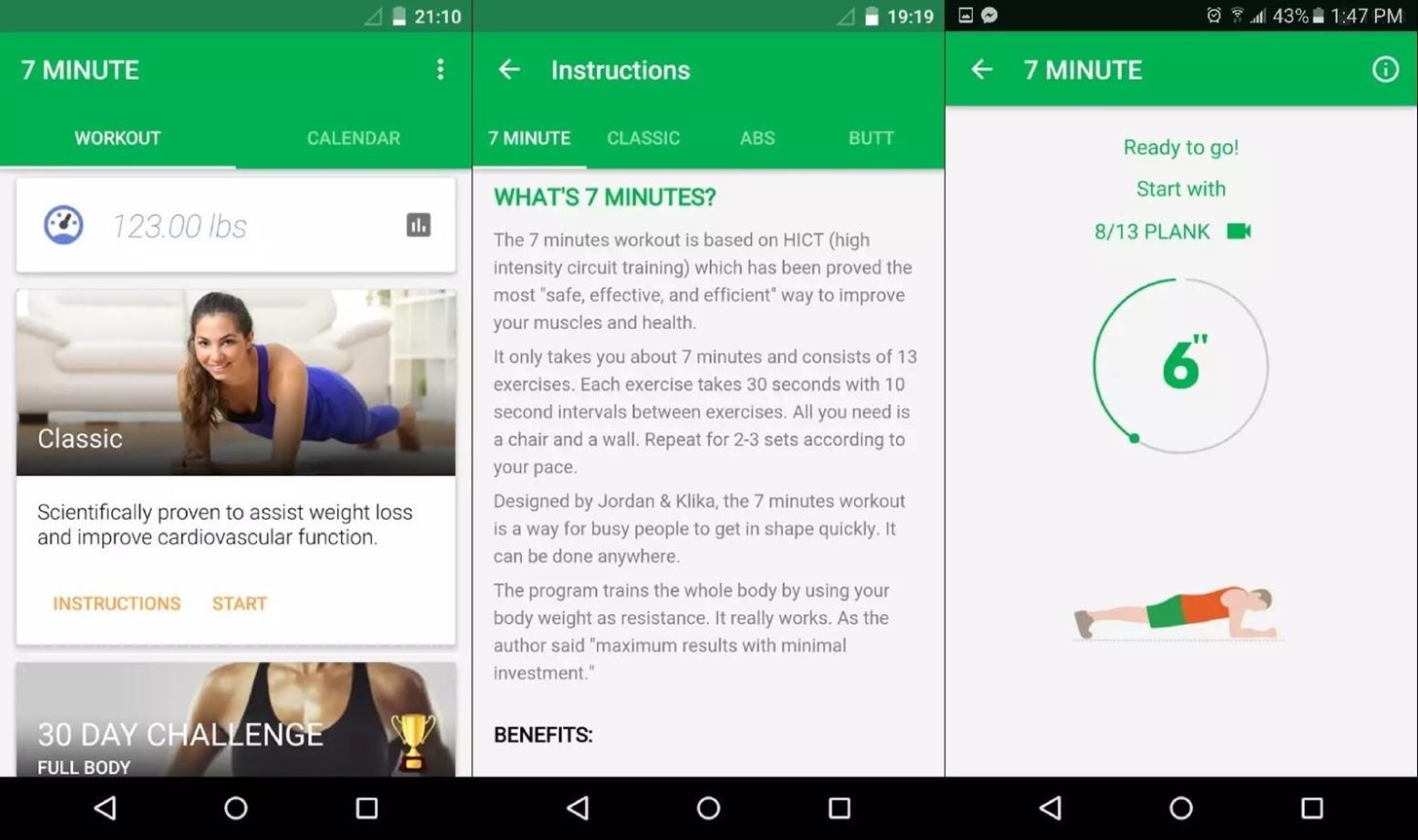
1. 7 Minute Workout Challenge7 Minute Workout Challenge is a great workout app that's designed to be performed anywhere at any time, with no equipment needed. The app guides users through twelve exercises—from jumping jacks, to lunges, and other drills for 30 seconds each with 10 seconds of rest in between.The creators of 7 Minute Workout Challenge claim that their simple, but high-intensity exercise regimen, with little breaks in between, results in higher daily metabolism. According to their research, their workout plan is equivalent to working out for over an hour, but compressed to a little over 7 minutes.The only downside to 7 Minute Workout Challenge is that it will cost you $2.99. But for less than the price of a juicy Big Mac, you can get started on the road to becoming a healthier, more productive individual.Install 7 Minute Workout Challenge for $2.99 from the iOS App Store Install 7 Minute Workout Challenge for $2.99 from the Google Play Store

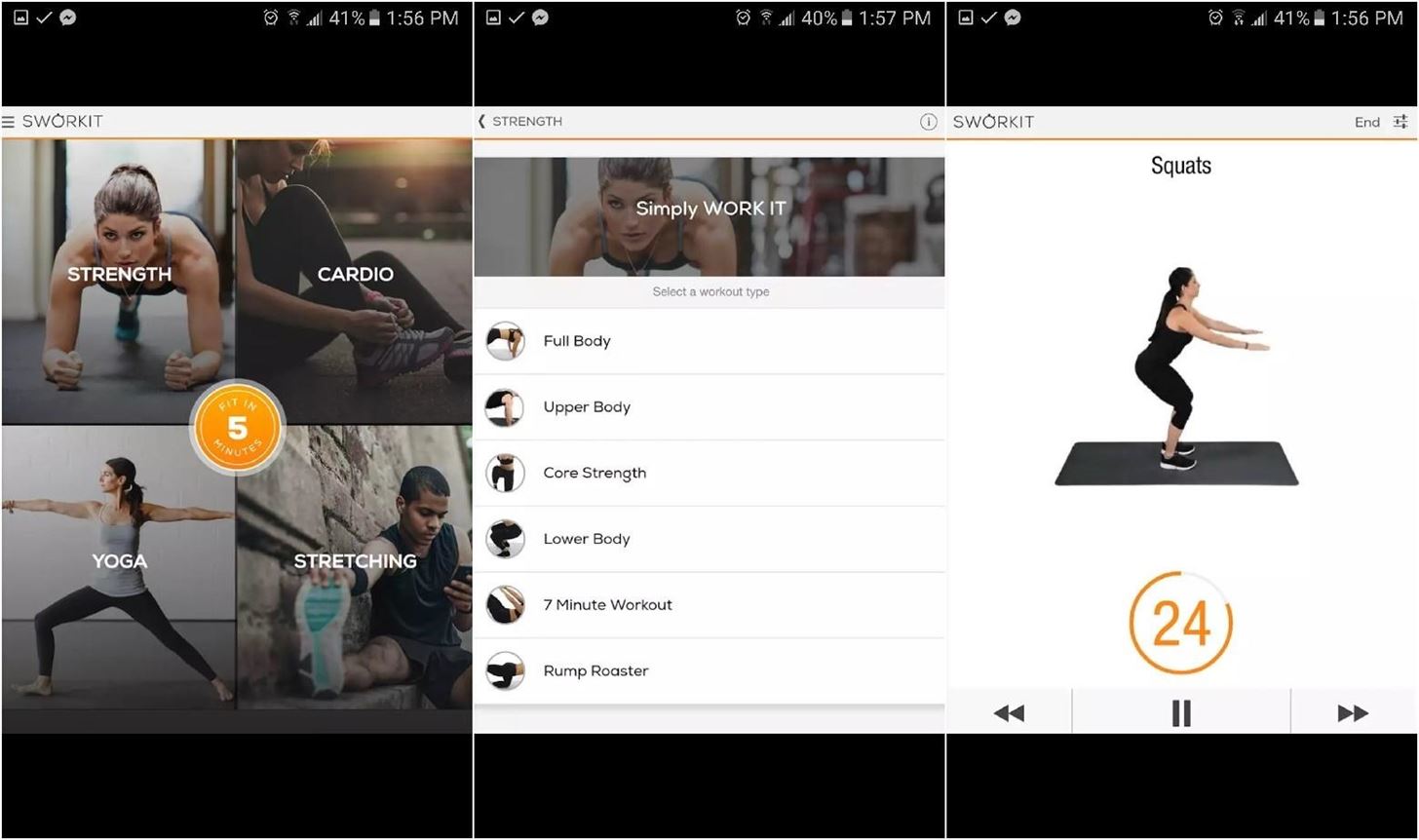
2. SworkitIf you want to take exercising up a notch, then Sworkit is the app for you. It's a fully customizable fitness app that provides personalized video workouts. The app allows you to set your own pace, with workout duration ranging from 5 to 60 minutes.Sworkit also offers a huge variety of workouts. You can do generalized exercises that focus on strength, cardio, yoga, stretching, and Pilates. Or, you can do targeted workouts that focus on specific areas of your body, such as upper, lower, core, abs, back, etc.Install Sworkit for free from the iOS App Store Install Sworkit for free from the Google Play Store

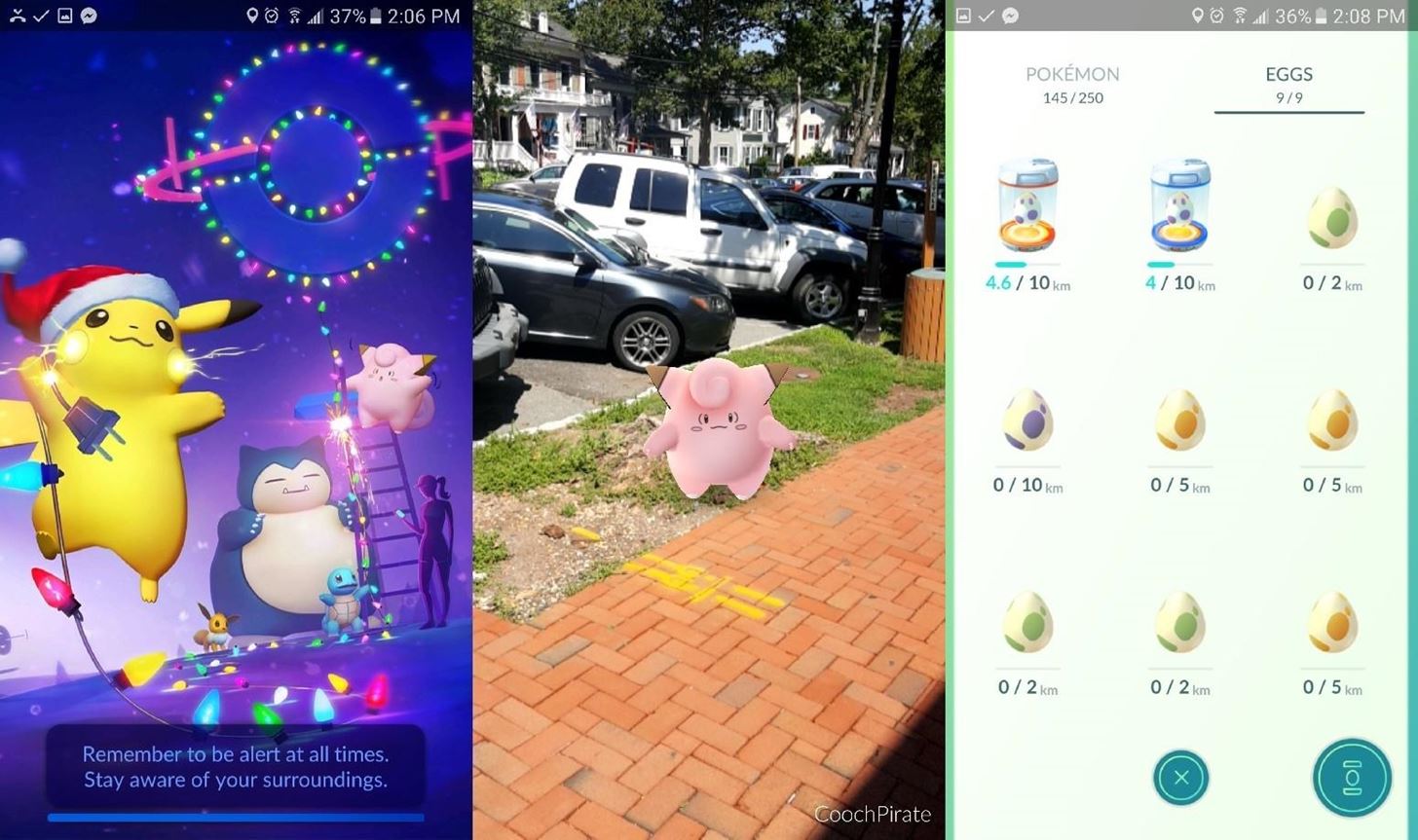
3. Pokémon GOAnyone who's ever played Pokémon GO can attest to the sheer amount of time spent on walking around in a seemingly never-ending quest to catch 'em all. I've found myself walking around for hours on end, hunting down Pokémon and hatching eggs. That's the genius of this little gem: While this game offers no intense workouts, it does make you physically active, often without making you realize.Install Pokémon GO for free from the iOS App Store Install Pokémon GO for free from the Google Play Store

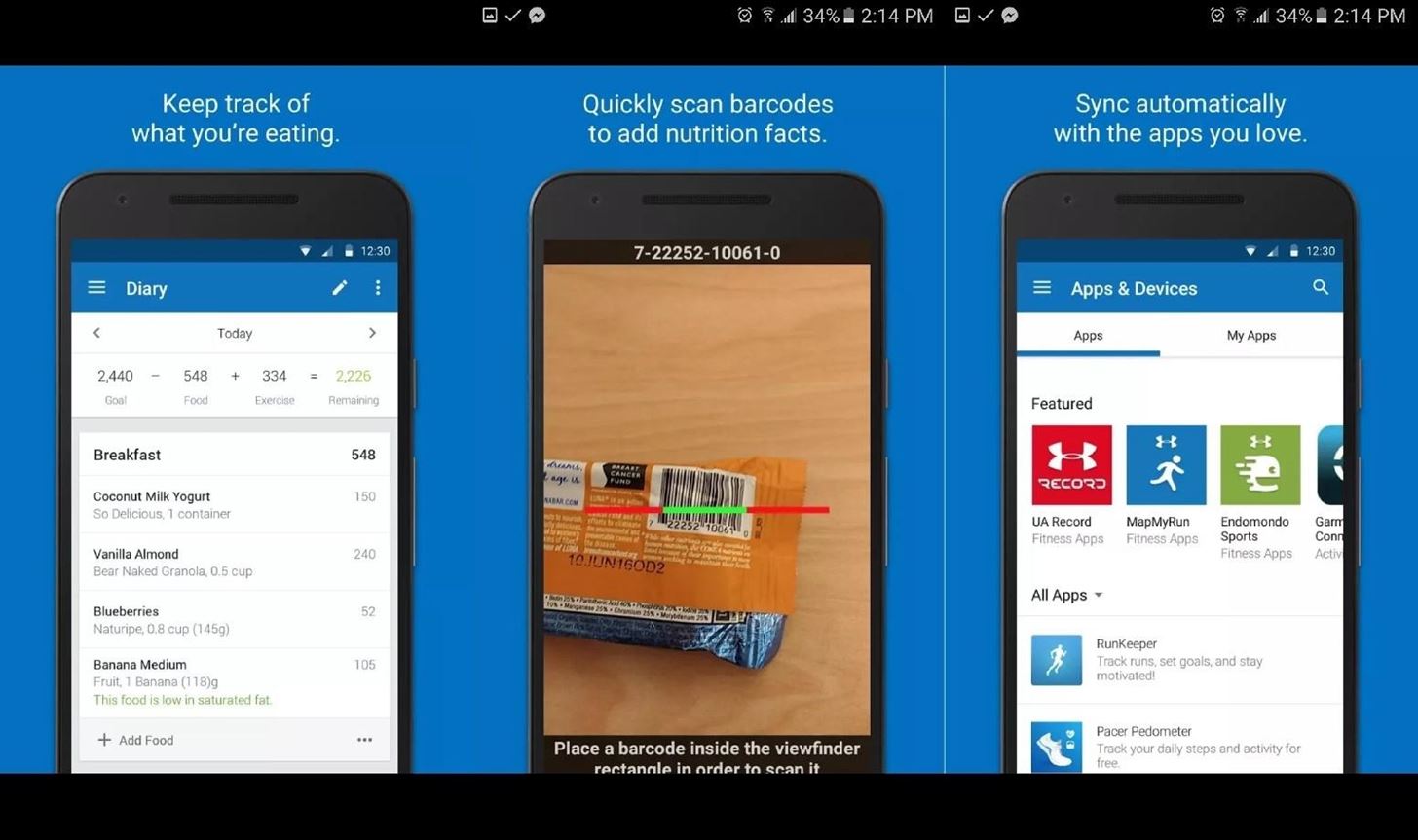
4. MyFitnessPalMyFitnessPal is one of the most comprehensive and highly-rated diet and nutrition apps out right now. It's packed with features, including a database containing over five million foods, and a recipe calculator that lets you see the nutritional value that a home cooked meal has. The core "Calorie Counter" function fully syncs with their website, so you can count calories cross-platform.MyFitnessPal also includes a fitness tracker that comes with 350 exercises, covering strength training and cardio. It can also sync with other fitness apps like Sworkit to help streamline your workout and dietary needs, information-wise.Install MyFitnessPal for free from the iOS App Store Install MyFitnessPal for free from the Google Play Store

5. My Diet CoachMy Diet Coach takes a different approach and focuses on mental hurdles when it comes to weight loss. It keeps you motivated using photos, tips, mental hacks, and rewards. My Diet Coach utilizes a "crawl before you walk" approach when it comes to lifestyle changes for a more consistent outcome, as opposed to a drastic change, which usually results in failure and relapse.My Diet Coach has some basic features like calorie counting, progress tracking, and reminders to do things like eat or drink water. The app also comes with an awesome visual weight loss tracker, so you can see your progress and keep yourself motivated as you journey to a better you.Install My Diet Coach for free from the iOS App Store Install My Diet Coach for free from the Google Play Store

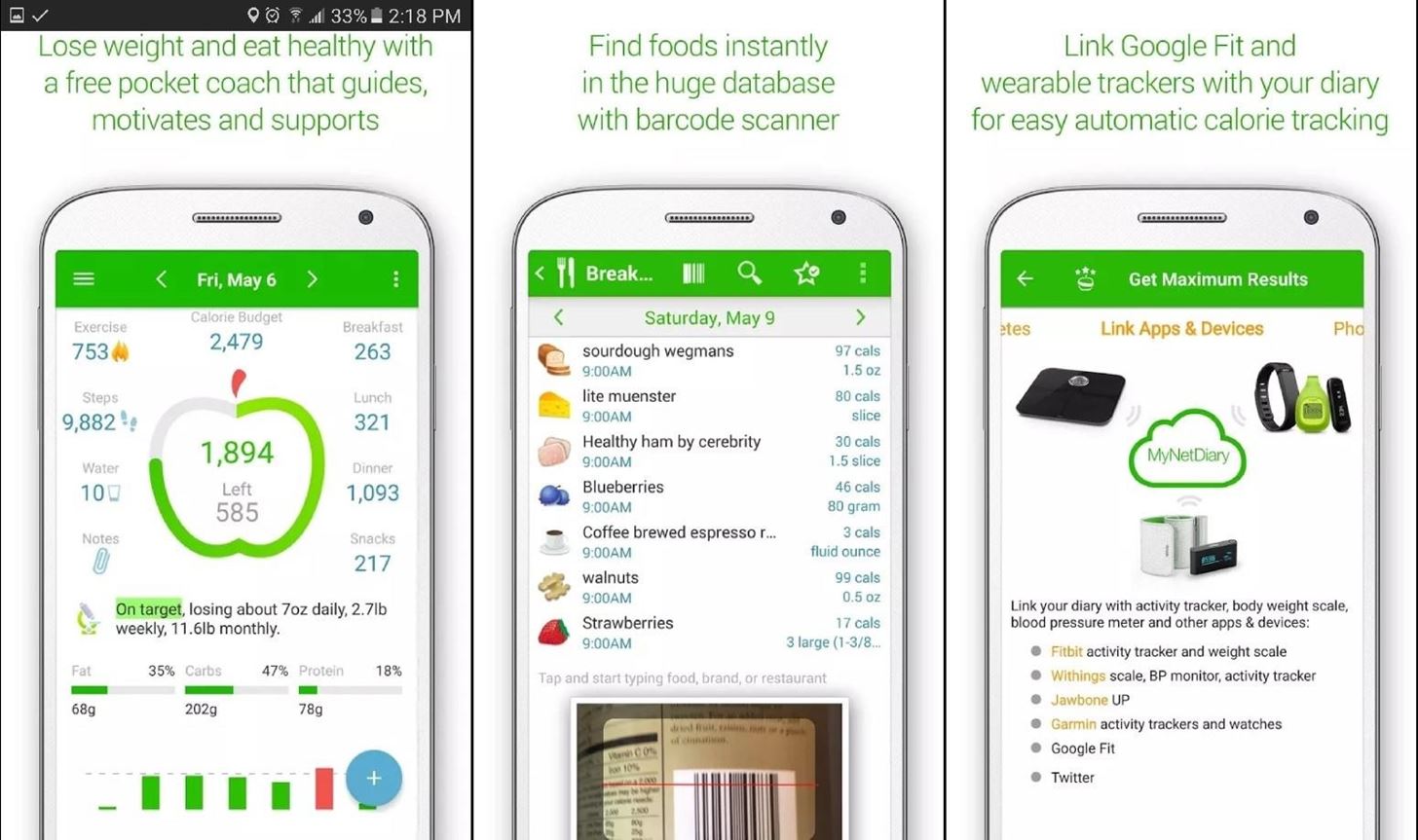
6. Calorie Counter ProCalorie Counter by MyNetDiary is a calorie counter app with some great features. It tracks what you eat using a stored database containing at least 600,000 foods. It also comes with a basic fitness tracker, and support for a variety of connected devices such as Fitbit and Garmin.Calorie Counter Pro is able to keep track of other vitals like heart rate, blood glucose, cholesterol, and more. MyNetDiary provides cross-platform support via their website, so be sure to check it out.Install Calorie Counter Pro for free from the Google Play Store Follow Gadget Hacks on Facebook, Twitter, Google+, and YouTube Follow Android Hacks on Facebook, Twitter, and Pinterest Follow WonderHowTo on Facebook, Twitter, Pinterest, and Google+
Cover image by Pexels/Pixabay


Are you tired of uploading videos to different sites separately? It's really time consuming and difficult. Finally, there is a way to upload and distribute your videos to YouTube, Facebook, Dailymotion, and many more video-hosting websites in one go. No need to upload to every site separately and one by one.
How to Upload Video to Multiple Sites At Once | TechUntold


Oct 11, 2018 · Seven iOS 12 security setting tips you should check right now. Here's some tricks to take advantage of the latest bug fixes on iOS 12 and make sure you're keeping your device as safe as you
New to iOS 11? Change these privacy and security settings

How to Add Floating Live Animations to Any Custom Wallpaper


People who are very new to Jailbreaking, they might or might not heard of Installous which is one of the best app that you can install using Cydia and it will let you download all the official iOS apps (Paid or free) for completely free. In this tutorial, we will look into a complete guide on How to install Installous using cydia.
How to Install Installous (with Pictures) - wikiHow


The parabolic microphone works by reflecting sound waves from a larger area (the reflector dish) into a smaller area (the microphone). In order to make your parabolic microphone work, you need to find this focal point. The simplest method is to place the microphone in the center of the dish.
Making and Testing a Homemade Parabolic Mic - YouTube


These are the new Emoji in the Android Nougat 7.1 update Google has taken the time to really craft better emojis, including a much larger variety of professions, genders, and skin tones to support
How to turn off emoticons in Skype for Windows 10


Today we'll be overclocking AMD's Ryzen 3 2200G to the max with a $20 air cooler. Now, you might be questioning the idea given this is a $100 APU that already ships with the more than decent


The video demonstrates how to connect your Bluetooth phone to your computer and send/receive files between them through Bluetooth. You need to first switch on Bluetooth in your phone and then click on the icon for Bluetooth connectivity in the computer. Then click on the option called 'Add a Bluetooth Device'.
Transfer files between LG phone and computer via Bluetooth


Step 4: Add a Pit Stop Using Google Assistant. You can use Google Assistant to add a pit stop to your current route, but keep in mind that this method isn't completely hands-free. To do so, summon you assistant as you did when initiating navigation, but this time, say "add a gas station to current route" or something similar.
Use Voice Commands in Google Maps to Start Navigation or Add

Best Devices To Test For Your Android App - afourtech.com


From the Now Playing screen, you can play music, repeat and shuffle songs, and more. To turn shuffle or repeat on or off, ask Siri or use the controls in the Music app on your iPhone, iPad, or iPod touch; in the Apple Music app on your Android device; in iTunes on your Mac or PC; or in the Music app on your Apple Watch.
How to Shuffle Songs in Apple Music on iPhone and iPad


News: iOS 11.2 Beta 5 Released with Only More Under-the-Hood Improvements News: Apple Just Pushed Out iOS 12 Beta 10 for iPhone to Developers News: iOS 12 Public Beta 4 Released for iPhone Software Testers News: Apple Released iOS 12.1.3 Public Beta 3 for iPhones — See What's New
Neurable Releases Limited Beta SDK for Brain Control


Instagram is the world's biggest photo-sharing site, narrowly edging out competitors like Imgur and Flickr. But unlike the competition, Instagram doesn't make it easy for users to download a full-resolution copy of any of the images hosted on their servers, as the site's main intention is to keep
How To View Full Size Instagram Photos And Profile Picture


How To Watch Full-Length Movies on YouTube for Free - But Not For Long. markhachman / 07 Aug 2012 / Web. Like a Hollywood sequel, pirated movie hits are back on YouTube - and this time they
The 13 Best Free Movies on YouTube - lifewire.com

How To: Turn Your Android's Buttons into Shortcuts for Almost Anything

How To: Turn Your Android's Buttons into Shortcuts for Almost Anything
Rooted users have been able to remap their hardware buttons since the earliest days of Android, allowing them to change the functionality behind one of the most centralized methods of interacting with a phone or tablet. Up until now, however, non-rooted users have been left out in the cold, meaning these buttons could only perform the functions assigned to them by the device manufacturer.But an app from legendary ElementalX developer Aaron Segaert is looking to change all of this. With this one installed, you'll be able to assign custom actions to your volume and home buttons, plus it even works with capacitive keys, and it does all of this without requiring root.

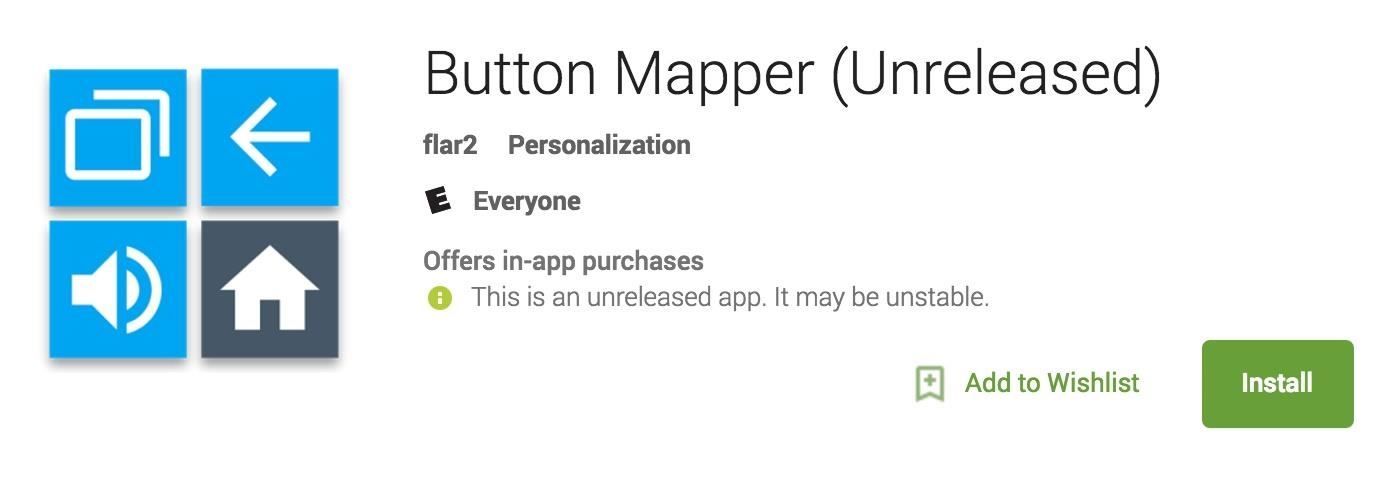
Step 1: Install Button MapperButton Mapper was in beta, but now you can install the app without joining the beta program. Just note that this app is still in its infancy, hence why it says "Unreleased" on Google Play, so it could still have those beta jitters.Install Button Mapper for free from the Google Play Store

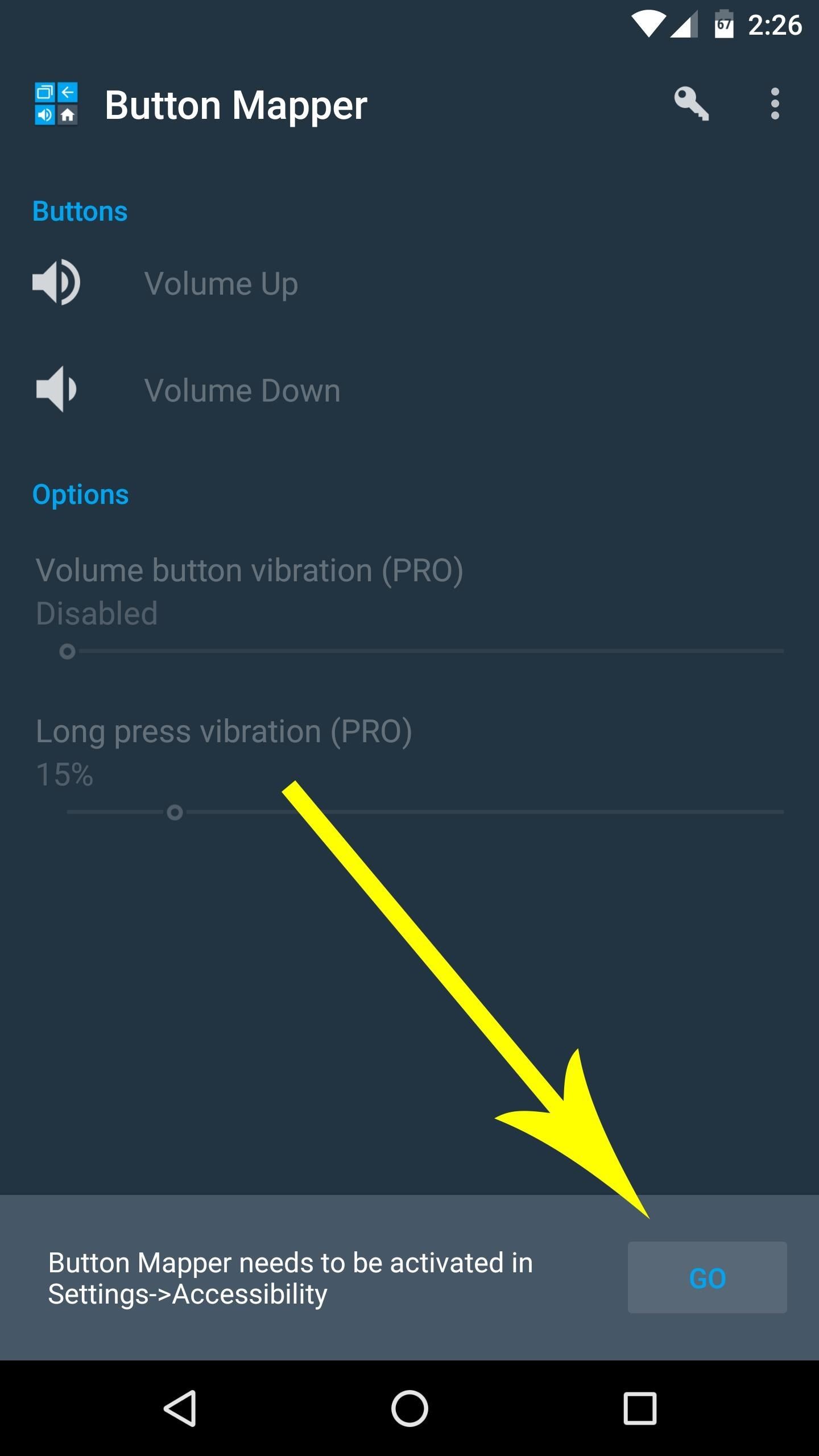
Step 2: Enable the Accessibility PluginWhen you first launch Button Mapper, you'll have to do some initial setup. To start, press the "Go" button on the message at the bottom of your screen. From here, select the "Button Mapper" option from the list, then enable the app's Accessibility plugin with the switch at the top of the screen, and press "OK" on the popup.

Step 3: Remap Your ButtonsNext, head back to the app, where you'll see a list of all the eligible buttons on your device. To remap a button, simply select it from this list, then enable the "Customize" switch at the top of the following screen.From here, you can assign a custom single tap or long press action for this button. And if you buy the pro version for $2.49 (via in-app purchase), you can even add a double-tap action. To do so, simply select either "Single tap," "Double tap," or "Long press" on this menu, then choose a custom action from the list. If you'd rather have this button launch an app or activity, you can use the drop-down menu at the top of this popup to see more actions. After you're finished here, simply repeat this same process for any other eligible hardware button. The changes take effect on the fly, so there's no need to reboot your device. Once you've finished setting everything up, your hardware buttons will now have completely different functionality—all without requiring root.Follow Gadget Hacks on Facebook, Twitter, Google+, and YouTube Follow Apple Hacks on Facebook and Twitter Follow Android Hacks on Facebook and Twitter Follow WonderHowTo on Facebook, Twitter, and Google+
Cover photo and screenshots by Dallas Thomas/Gadget Hacks


Uber Surge Pricing is a tool that ridesharing companies use to maximize the potential of their supply-and-demand. Raising the price by select multipliers helps regulate demand amongst customers leading to quicker pickup times and an elevated rideshare experience.
Uber Surge Pricing: The Definitive Guide


Have a load of games you want to play, but don't want to be seen in public playing on your old school Nintendo DS system? Play them on your Samsung Galaxy Note 2! Now, I've already covered how to play N64, GBA, and SNES games on your Galaxy Note 2, so it only makes sense to continue my gaming series with the Nintendo DS portable console.
Play N64 (Nintendo 64) Games on Your Samsung Galaxy Note 2


Your friends will not know whether you have them as a "close friend" or "Acquaintance" so you can move them from one to another. You will see fewer posts from the friends you have as "Acquaintances", where with "Close Friends" Facebook will also move their posts to the top of your feed.
How do I remove Acquaintances from friends list - Facebook


You can add many people that you know, and even add people who you would like to know more about. However, there are times, when you find some people are not worth being on your friends' list. The reasons are plenty and personal too, and in such situations, you must be thinking how to delete friends on Facebook.
How to Remove friends from your Facebook page « Internet


A guard dog, or a watchdog, is trained to protect your property and your family. Contrary to what you might think, most guard dogs are not taught to attack. Rather, they are taught non-confrontational techniques, such as how to stand guard and how to use their bark to alert you of a stranger or potential danger on your property.

How to Boost Your Download Speed (with Pictures) - wikiHow


Website Design Tutorial for Xara Web Designer learning how to switch between single page view vs. multi-page view. When working with your web design it is important to understand, which website design view is best for completing your project.
Safari 101: How to Use the Reading List to Save Articles


What is Internet Download Manager (IDM)? Internet Download Manager is a tool developed by Tonec which increase the download speed of your data 5 times faster. According to the developer of IDM because of this downloader download files in different parts.
How to Increase IDM Downloading Speeds By 10x | Real Trick


Replace Your Android Browser with This Enhanced Version of CyanogenMod Gello Gadget Hacks No matter which smartphone you buy, it will come with an internet browser
[APP][5.0+][Chromium/gello(CM)] Pyrope Brows… | Android


Check out how to make an umbrella parabolic microphone! via make. Leave a Reply Cancel reply. Your email address will not be published. Comment. Name. Email.
How to Build a Parabolic Mic Dish - Videomaker


Learn everything about how to unlock iPhone with UltraSn0w carrier unlock, UltraSn0w Fixer or SIM unlock. Software unlock iPhone, preserve iPhone baseband, unlock baseband on iPhone iOS firmware from these guides.
HOW TO JAILBREAK YOUR IPHONE 3G USING REDSNOW - YouTube

How to Use a shortcut to unlock your iPhone or iPod Touch


How To: Amp Up Your Cell Phone's Sound System with a Plastic Cup News: HIV Co-Opts the Body's First Line of Defense—Using It as a Shuttle to Take Over How To: Use the Shop Savvy app on your Android cell phone News: Sentinel Nerve Cells Spy on the Intestines, Linking Gut & Brain
How to connect to a DVR using an Android Phone - YouTube


8 Secret Android Functions 90% of Users Don't Know About


Using Spyzie to Hack Gmail Account without Password. Spyzie is the method that we recommend using if you're an inexperienced hacker. Not only can you hack into a Gmail account but once you have it set up, hacking other platforms is simple. Find out how you can access a Gmail account by following this guide.
How To Hack Gmail Account Password In Minutes And Its Prevention

Android Basics: How to Unlock Your Phone with Your Fingerprint

Android Basics: How to Unlock Your Phone with Your Fingerprint
Starting with version 6.0 Marshmallow, Android now supports fingerprint scanners natively. This change has effectively opened the floodgates, and now almost every flagship Android device includes a fingerprint scanner out of the box.But if you passed up on the opportunity to configure a fingerprint lock screen during initial setup, it's not too late to get in on the craze. As long as your device includes a fingerprint scanner, setup is really easy, so I'll give you a step-by-step guide below.Don't Miss: The Always-Updated List of Android Basics Guides

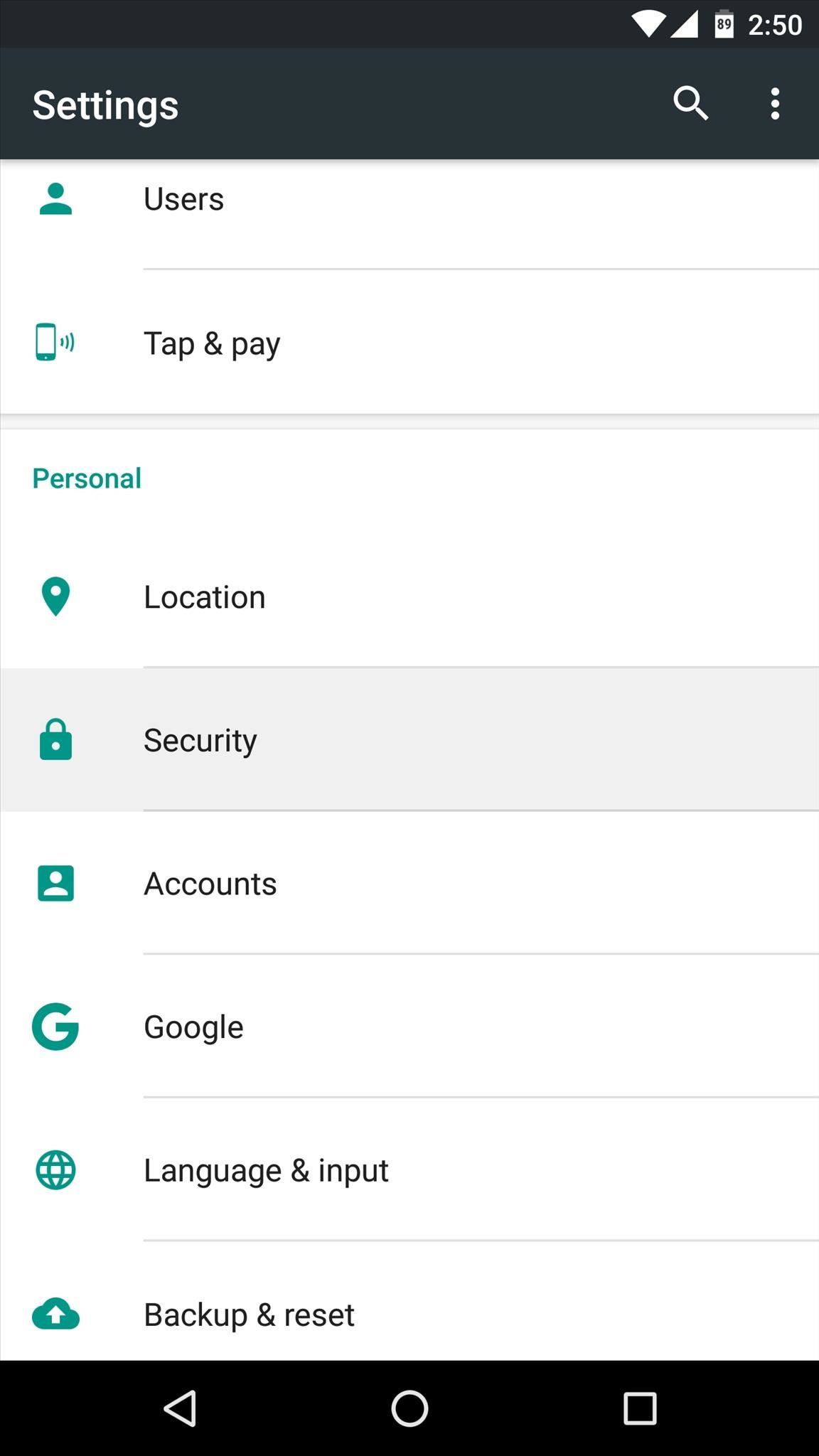
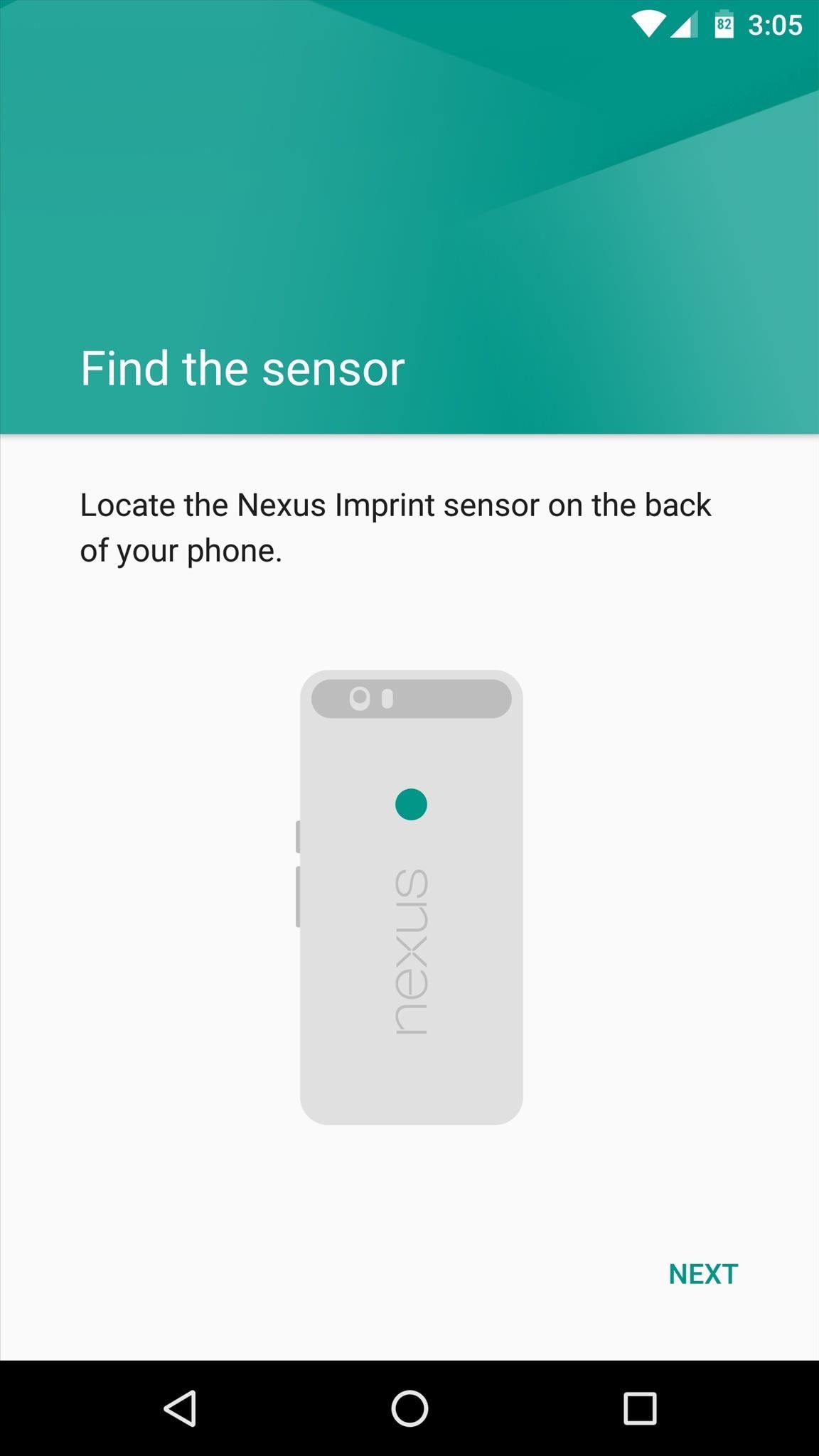
Step 1: Go to the Fingerprint Settings MenuFirst up, you'll need to head to your phone or tablet's main Settings menu. From here, select either the "Security" option (most devices), or "Lock screen and security" (Samsung devices). Next, choose the "Fingerprints" option (or "Nexus Imprint" if you're using a Nexus), then select "Add fingerprint" on the following screen. From here, the rest of setup should be just about the same regardless of what kind of device you have.

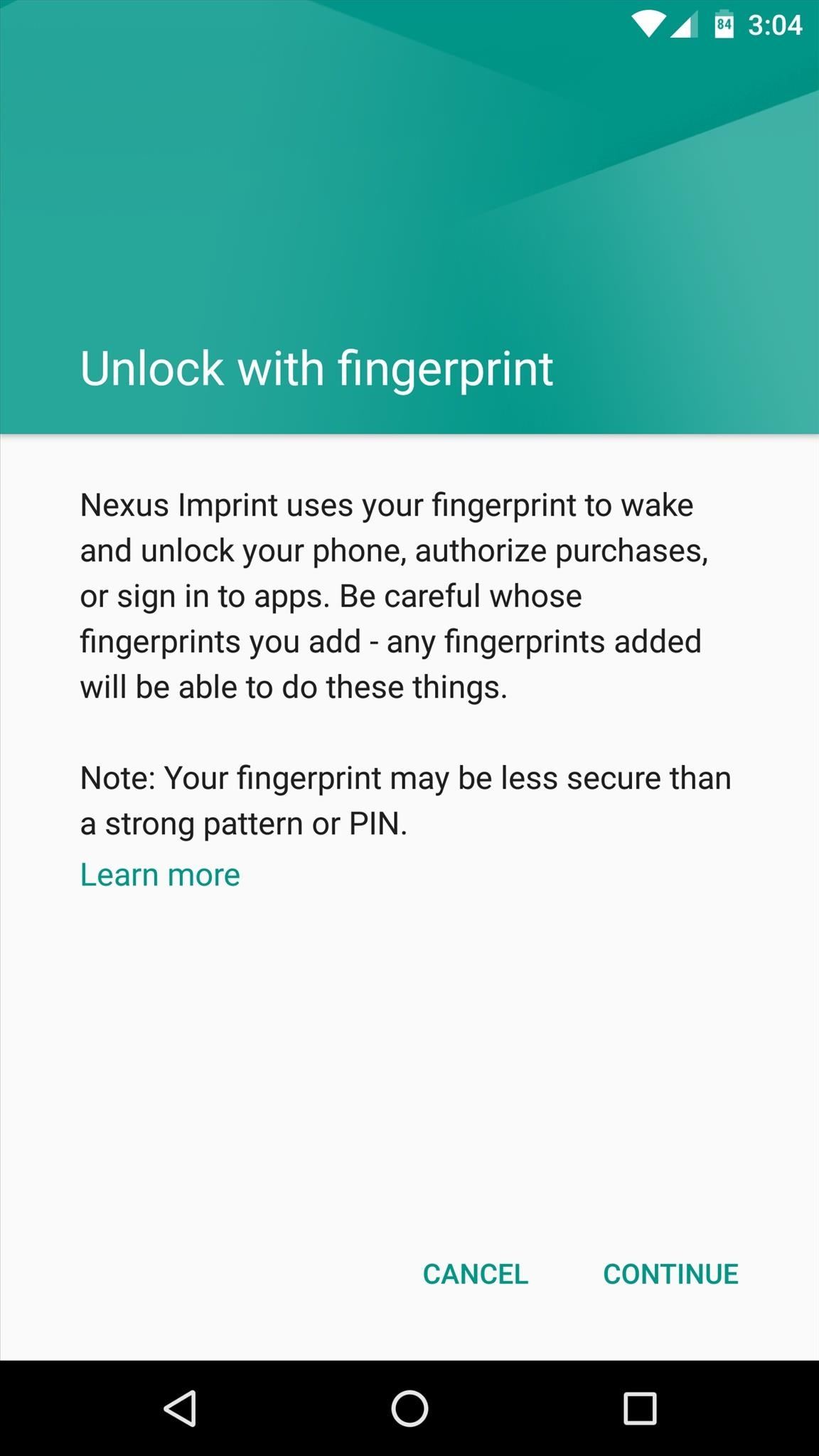
Step 2: Add a Backup Unlock MethodNext, you'll see a screen that gives you the details on fingerprint security, so read through this carefully, then press "Continue." From here, you'll be prompted to add a back-up code that will be used in the event that the scanner fails to recognize your fingerprint.So choose either "Pattern," "PIN," or "Password" as your back-up unlock code, then enter it into the following menu. After that, you'll be asked to confirm your code, so enter it one more time.

Step 3: Register Your FingerprintDon't Miss:Tips for Improving Fingerprint Scanner AccuracyFinally, it's time to register your fingerprint. An animated demo on your screen should tell you where to place your finger, and when you do so, you'll feel a small vibration. Lift your finger off of the scanner, then change its position slightly, and place your finger back on the scanner. Repeat this same process roughly five times, then your fingerprint will be registered.When you're done there, you can add a second fingerprint by choosing the "Add another" option, and you can repeat this for up to five fingers, but make sure to tap "Done" when you're finished. From now on, whenever you go to unlock your device, you can simply place any registered finger on the scanner, then you'll be taken directly to your home screen.
A Note About Fingerprints & SecurityIn this day and age, keeping your personal data secure is a hot-button issue. It's worth noting that a fingerprint is inherently less secure than a password that consists of random characters, and this is the result of a variety of factors.First, passwords can be changed, but fingerprints cannot. If somebody were to learn your password, you could just change it—but the same cannot be said of fingerprints. This issue is compounded by the fact that today's fingerprint sensors can be fooled by a clone of your fingerprint, so that's something to be aware of.Don't Miss: The Biometric Authentication ConundrumSecondly—and perhaps more importantly—the US government has ruled that it's not a violation of your 5th Amendment rights for police or officials to force you to scan your fingerprint and unlock your phone. This is disheartening, but it's worth noting that if you reboot your phone, Android will require you to enter your back-up password instead of just your fingerprint, so that's something to keep in mind if you ever get pulled over.Follow Gadget Hacks on Facebook, Twitter, Google+, and YouTube Follow Apple Hacks on Facebook and Twitter Follow Android Hacks on Facebook and Twitter Follow WonderHowTo on Facebook, Twitter, and Google+
Cover image and screenshots by Dallas Thomas/Gadget Hacks


Gmail does have limits to the size of email it processes; if you need to send or receive more data, you do have options, however. Message and Attachment Size Limits in Gmail Gmail processes messages up to 25 MB in size.
Send attachments with your Gmail message - Google Support


This quick video walks you through how to disable and get rid of bloatware on your Galaxy Note 9. All those apps that come pre-installed out of the box wasting space, yeah, let's get rid of those.
Galaxy S8 Bloatware List - What to Remove, Keep, Consider


How to sync or transfer files easily from your Android phones to your PC or Mac computers, and I show you three ways to do the same. Android sync manager wif
7 Ways to Transfer Data Between a Cell Phone and Computer


Proteggi un dispositivo touchscreen contro la pioggia (a buon mercato) Pioggia e neve rovineranno il tuo dispositivo touchscreen in pochissimo tempo. Vuoi proteggerlo senza spendere una fortuna in una custodia impermeabile ingombrante?
बारिश के खिलाफ टचस्क्रीन डिवाइस को सुरक्षित रखें (सस्ते में


Also, with CMTE, it was essential for the user to reboot their device, whereas upon using full Substratum mode, one can dynamically theme their device without the need to reboot. Furthermore, CMTE as a project has been left out ever since Android Nougat, while Substratum's development continues to grow.
15 Cool Substratum Themes You Can Try on Android (2017

How to Remove solder bridges on gull wing components « Hacks


I was doing some digging around to see how I could get AOSP Lockscreen on this phone and I found some instructions on how to do it on the HTC One and figured it's basically the same thing, so i tried it on this phone and it worked.
11 Hidden Features You Need to Know on Your HTC One M8


On an iPhone X or later or an iPad with iOS 12, from the Home screen, swipe up from the bottom of the screen and pause slightly in the middle of the screen. On an iPhone 8 or earlier, double-click the Home button to show your most recently used apps; Swipe right or left to find the app that you want to close.
How to Close Apps on an iPad Mini Running iOS 7 « iOS


How to Take Screenshots on an Android. This wikiHow teaches you how to take a snapshot of your Android's on-screen content. You can do this on any Android phone by pressing a combination of hardware buttons, though some Samsung Galaxy phones have slightly different hardware options than their counterparts.
How to Take a Screenshot on iPhone Without Using Power Button


15 Best Hacking Apps For Android Phones 1. AndroRAT. AndroRAT stands for Android and RAT (Remote Administrative Tools). This top free hacking tool was released a long time ago as a client/server
Phone Spying Online. | Spy Phone Online.
AD


Download samsung_unlock_n4-2 script → samsung_unlock_n4-2; Download TWRP for Verizon Note 4 (Use .tar file) → Download; How to Unlock Bootloader on Verizon Galaxy Note 4. Download the samsung_unlock_n4-2 script and place it in the same folder where you have the ADB tools installed.
How to unlock the bootloader, install and update - /jdrch


You can use most QR-code apps for reading bar codes, too, which can be convenient for in-store price checks. Scanning a product's bar code with RedLaser will bring up an item description, as
How to use a QR code barcode reader with a mobile phone - YouTube

How To: Unlock the Bootloader on Your LG G6 (T-Mobile Variant)

How To: Unlock the Bootloader on Your LG G6 (T-Mobile Variant)
Preorders for the LG G6 have all been fulfilled, and the phone has been up for grabs at local cell phone providers for three weeks now. However, not every LG G6 was created and released equally. The T-Mobile variant of the LG G6 features an unlockable bootloader, while most other North American variants come with a tightly locked down bootloader, which effectively limits the full potential of your brand new fairly expensive phone.If you purchased the device from T-Mobile, you'll be able to unlock your bootloader with a couple of Fastboot commands, which truly unlocks the full potential of your device when it comes to root and custom ROMs. If you didn't purchase the LG G6 from T-Mobile, then you'll have to patiently wait for an exploit to be found. Meanwhile, T-Mobile users will likely be able to root their devices in the near future, and unlocking the bootloader is the first step for doing that.Don't Miss: The 5 Best Phones for Rooting & Modding
PrerequisitesLG G6 from T-Mobile Windows, Mac, or Linux computer USB data cable
Step 1: Install ADB & FastbootBefore doing anything else, ADB and Fastboot will need to be installed on your computer. ADB is how we'll be navigating to the bootloader, and Fastboot is how we'll unlock it. It's strongly recommended to install the official version from Google, and we've explained how to do so in Method 1 at the following link:Don't Miss: How to Install ADB & Fastboot on Windows, Mac, or Linux

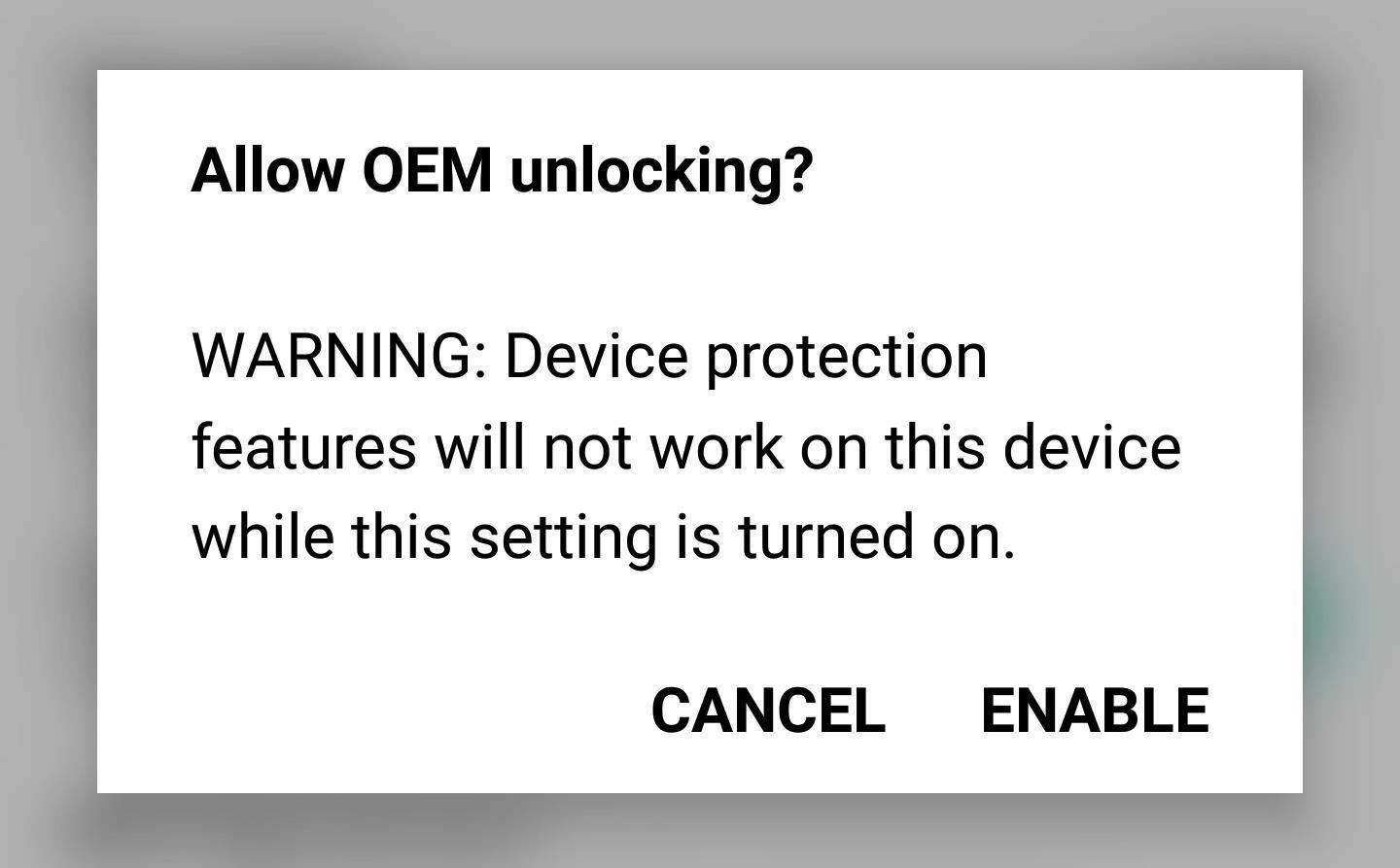
Step 2: Enable OEM Unlocking & USB DebuggingAfter you've installed ADB and Fastboot, you'll have to enable a few things in your Developer options, if not done so already. If you don't see a Developer options menu under the Software info section in your Settings, it's easy to unlock.In the Developer options, turn on the "OEM unlocking" option and press "Enable" when prompted, then confirm your choice on the second popup. Then enable "USB debugging" in the same manner.

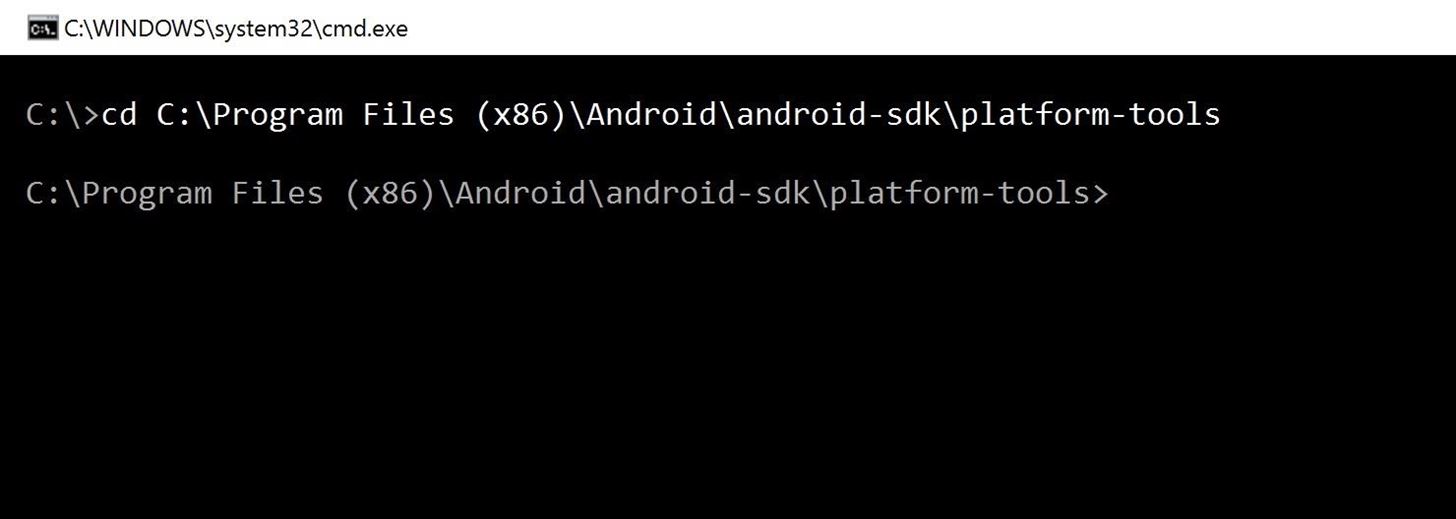
Step 3: Get ADB Up & RunningNext, open up a Command Prompt or Terminal window and change directories to the platform-tools folder inside of your ADB and Fastboot installation directory. For Windows users, this folder can be found at C:\Program Files (x86)\Android\android-sdk\platform-tools if you followed the guide in Step 1. For Mac and Linux users, it depends on where you installed ADB, so search your hard drive for the "platform-tools" folder if you're unsure about its location. Changing directories to the "platform-tools" folder on Windows. At this point, you'll have to connect your phone to your computer. When you do, make sure to check off the "Always allow debugging" option that will pop up around the same time. Give your computer about half a minute to automatically download the required LG Drivers. Then type in the following command and hit enter:adb start-serverThis command starts the ADB server which will communicate with your device.

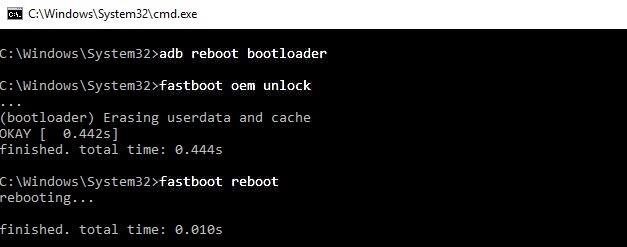
Step 4: Unlock the Bootloader & RebootNow type in the following command to reboot your phone into bootloader mode:adb reboot bootloaderOnce you've done that, this next command will actually unlock your bootloader. Be aware that the process of unlocking your bootloader will wipe all data on your phone, but if you're okay with that, go ahead and type in the following command, then hit enter:fastboot oem unlockNext, wait at least one minute for the unlocking and wiping procedure to finish, then enter the following command to wrap things up:fastboot reboot That's all there is to it! Your bootloader is now unlocked, opening a wide door for root and TWRP possibilities. Be sure to keep track of future updates, as we'll cover the LG G6 root process as soon as a method become available. Feel free to leave a comment down below letting us know which root apps and mods you're looking forward to the most.Follow Gadget Hacks on Facebook, Twitter, Google+, and YouTube Follow Android Hacks on Facebook, Twitter, and Pinterest Follow WonderHowTo on Facebook, Twitter, Pinterest, and Google+
Cover image and screenshots by Kevin M./Gadget Hacks


The "Show color mixer" option here will let you pick any color you want for your window title bars. This process was tested on the final version of Windows 10 — build 10240. As Microsoft is committed to updating Windows 10 more regularly than previous versions of Windows, it's possible they may change the way this works in the future.
How to get colored title bars in background windows?

How I cleaned up my embarrassing Twitter history - Mashable

How to Use Gingerbreak to root Android Froyo 2.2.2

Use your smartphone like a landline - Yahoo


Everything you need to know about the RedSn0w tool: where to download for Mac / Windows, how to use it to jailbreak iPhone, iPad, iPod Touch, and the history of RedSn0w.
How to jailbreak iphone 4 using redsnow 0.9.5 for both win


This tutorial teaches you how to download sheet music from movies, video games, and tv series. Learn to modify the sheet music to transpose the notes to any instrument and print it out. Again if you can get sibelius or finale, it might be better but Noteworthy Composer works fine.
Download Free Sheet Music For Any Instrument From - YouTube


this is how to make a mini flamethrower (please don't use this to melt crack ,etc. I take no responsibility for what you do with this) (notice the small deer walknig past at 00:21 lol, thats my
How to overclock your CPU - TechRadar


If you stumble across a great candid photo or other once-in-a-lifetime shot and want to be certain you have plenty of images to choose from, Burst Mode on iPhone is the way to do it. Once you take a photo in Burst Mode on iPhone, all the pictures are shown together as one photo in the Photos app. How to Take Burst Photos. Open your Camera app.
How to Take Burst Photos on iPhone and iPad - MacRumors


Is the IE version used on Xbox 360 not compatible with Flash plugin? Is it a block to stop viewers from watching episodes on Xbox 360? Does anyone have any methods to watch episodes of broadcast content on Xbox 360 using IE on the console browser? Or is the browser limited not a fully qualified version, web peer to be used on Xbox 360.
How to Use the Xbox One Internet Browser - Xbox One Wiki

How to Automatically Save Snapchats onto Your Samsung Galaxy


In a recent announcement, Hewlett-Packard announced that they're considering spinning off their PC hardware business, but even more recent was the decision to completely off webOS devices.
HP discontinues production of TouchPad tablet after just


How To: Hack a toy radar gun into a real one How To: Make an EMF detector out of an Arduino How To: Adjust your Gold Bug metal detector How To: Build a radar from cheap satellite dish parts or a toy radar gun How To: Program a Valentine 1 (V1) radar detector
A toy Radar gun hack - YouTube

How To: Record Phone Calls on Any Android Device

How To: Record Phone Calls on Any Android Device
There are plenty of legitimate reasons that you might want to record a phone conversation. Let's say you operate a business and take orders over the phone, and you don't want to miss an item. Or perhaps you need to jot down some notes from a recent conference call, and things were just happening too quickly in real time.But whatever your reason, recording phone calls on an Android device can be a tricky subject due to the sheer variety of Android devices available. This makes it pretty hard to pin down one particular solution that will work for every phone. That said, we've found some methods that you can try right now on your Android device, regardless of its make and model.Don't Miss: Always-Updated List of Phones That Will Get Android Pie
DisclaimerBefore you start recording calls, you should first check if its legal in your state. While federal law permits recording telephone calls and in-person conversations with the consent of at least one of the parties (e.g., you), these laws can vary from state to state. California, for instance, has a two-party consent law, which means you have to get permission from the other person(s) before you can start recording.
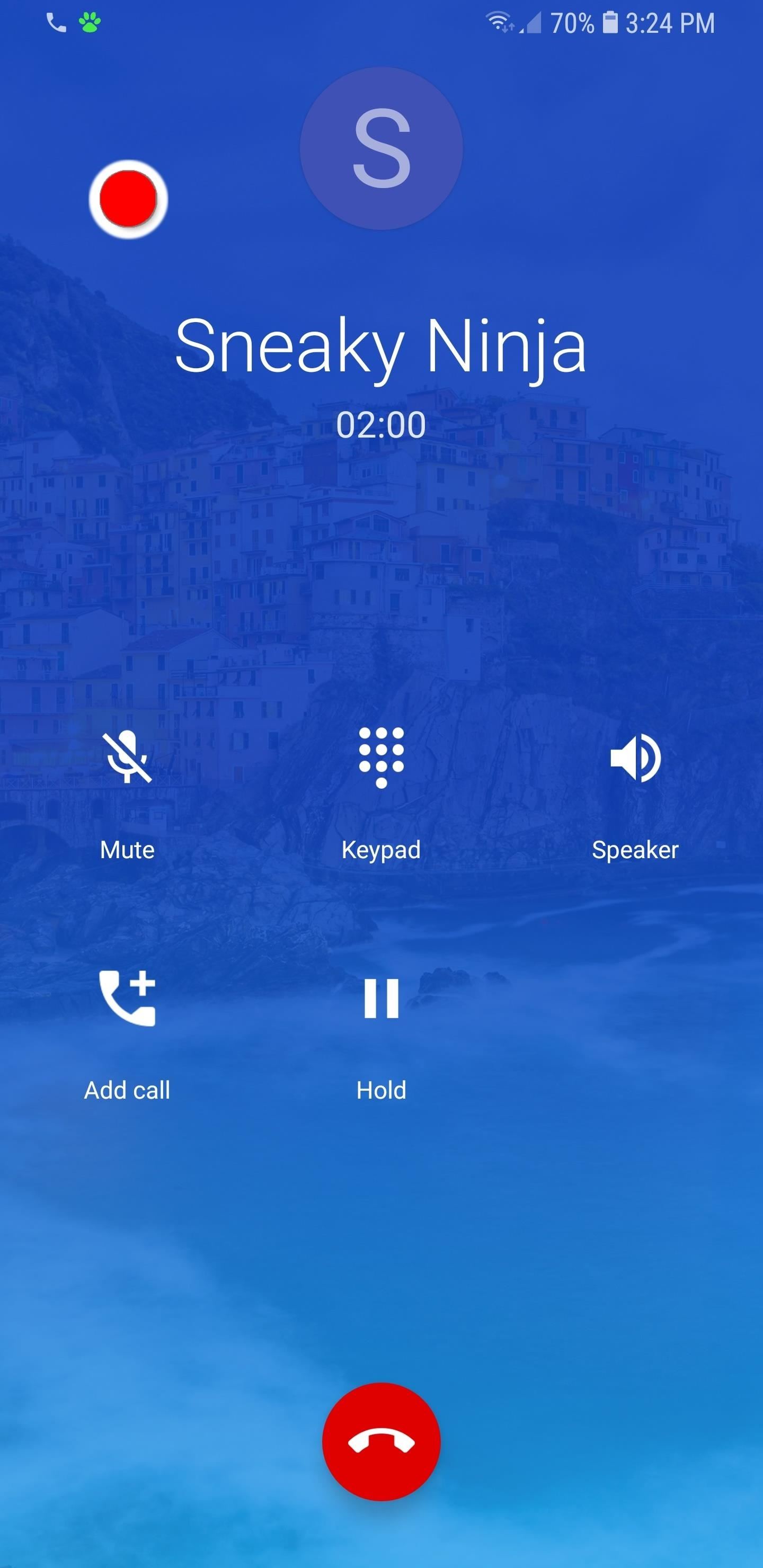
Method 1: Use a Call Recorder AppThe easiest method is to try a simple call recorder app. One downside to consider here is that the recording quality might not be perfect, but it should still be loud and clear. There are many different call recorder apps on the Google Play Store, but that means picking the right one can be a little problematic.Enter Boldbeast Recorder — it's free to use, will work on a ton of Android devices off the bat, and is continually updated to ensure it always stays well ahead of the competition. While the app gives you the option to buy its full version for $9.99, the free version functions exceptionally well even without premium features alike advanced search and automatic call recording.Once installed and enabled, Boldbeast Recorder overlays a circular record button onto the phone app for intuitive recording. On the whole, the recordings are crystal-clear and very easy to listen to. The app also shines in terms of overall accessibility, giving you the ability to instantly play recordings on the fly. If those weren't enough, you can even add notes or share the sound file with ease. In all, you can't go wrong in choosing Boldbeast as your go-to app for recording phone calls. Besides its ease of use, it's one of the few call recording apps out there that supports almost all Android devices. And because it's continually being updated, there's little doubt that the app will be able to work for even more phones — even devices that haven't been released — as it continues to evolve.More Info: How to Record Phone Calls on Your Android Using Boldbeast

Method 2: Use Google VoiceGoogle Voice is great alternative to dedicated call recording apps to record conversations, and has the added bonus of being completely free to use. It does have some downsides, however, such as the ability to only record incoming phone calls, not outgoing. In addition, the app will verbally notify the caller when call recording has been started and stopped, even if you've muted the call.Despite its shortcomings, however, Google Voice does have its strengths. For one, recording an incoming call very easy to accomplish on the app, and only requires you to tap on "4" in your Phone app's keypad to start or stop recording. These recordings should be in higher quality than most call recorder apps as well. Accessing your recordings is just as intuitive, and can be done by going into Google Voice's "Voicemail" page. When all is said and done, Google Voice is ideally suited for recording school, business, or work-related phone conversations like interviews, important meetings, and verbal contracts. Best of all, the service is free to use, so we highly recommend giving this app a try if you need a recording app without all the bells and whistles.More Info: How to Calls Using Google Voice on Your iPhone or Android

Method 3: Use SkypeRecording conversations isn't just limited to audio calls, as you now have the ability to record video calls for later viewing, thanks to Skype. Of course, you can only record calls done within Skype, and just like Google Voice, it notifies the person on the other end of the call when you've started or stopped recording. A copy of the recording also goes to both you and the other caller for full transparency.The benefits far outweigh its limitations, however, and Skype lets you record both video and audio calls thanks to a recording function that's easy to access and use. In addition, viewing or listening to your recordings is just as intuitive, and the app gives you multiple options to save or share your video and audio files in a pinch. If you're concerned about your privacy, Skype has you covered, as it only keeps any recordings for a maximum of 30 days. This gives you ample time to save or share your recordings for safekeeping while ensuring privacy and security. As such, recording a call on Skype — be it video or audio — is perfect for memorable occasions like viewing your newborn for the first time, and so on.More Info: How to Record Video & Audio Calls with Skype
Method 4: Use a RecorderOf course, you can forego using an app or service altogether and simply record phone conversations the old-fashioned way using a voice recorder. Granted, this isn't the most high-tech method on the list, but it's still among the most effective means to record a phone conversation. In fact, it can even record audio regardless what app you're using, be it Slack, WhatsApp, Skype, or your Phone app.Obviously, you'll need to set your conversations to speaker mode to get the best results, so if you go this route, be sure to go somewhere quiet before you initiate recording in order to get the highest quality audio possible. That said, there's plenty of great digital voice recorders out there, but if you want to check some out right now, here's a list of some of the top-rated digital audio/voice recorders online:EVIDA 8 GB Recorder (~$20): Amazon Olympus 4 GB WS-852 Recorder (~$60): Amazon | Best Buy | Walmart Olympus 8 GB WS-853 Recorder (~$70): Amazon | Best Buy | Walmart Tokego 8 GB Recorder (~$28): Amazon Yemenren 8 GB Recorder (~$32): Amazon Sony 4 GB ICDPX370 Recorder (~$48): Amazon | Best Buy | Walmart Sony 4 GB ICDUX560BLK Recorder (~$95): Amazon | Best Buy | Walmart Which call recording solution worked best for your particular Android phone? Do you have a preferred method you didn't see in this list that you'd recommend? Let us know in the comment section below.Don't Miss: 6 Types of Bad Apps You Should Never DownloadFollow Gadget Hacks on Pinterest, Twitter, YouTube, and Flipboard Sign up for Gadget Hacks' daily newsletter or weekly Android and iOS updates Follow WonderHowTo on Facebook, Twitter, Pinterest, and Flipboard
Cover image by Dallas Thomas/Gadget Hacks, screenshots by Amboy Manalo/Gadget Hacks


How to Jailbreak an A4 and below + A5 Device With RedSn0w. With the release of RedSn0w 0.9.12b1, you can now jailbreak A5 devices on iOS 5.1.1 (iPad 2, iPhone 4S, iPad 3) using the Rocky Racoon exploit.
Unlock ANY iPhone Carrier (X, 8 Plus, 7, 6S, SE) iOS 11.4.1


But then I realised I had an Android phone, not a Windows one, and it was time to move on. Furthermore, none of the so called Windows 10 launchers accurately recreated the launcher experience of an actual Windows Phone. So, if you are missing that look on your current Android phone, ditch it, and go back to Windows Phone.
How to use Microsoft Launcher to customize your Android phone


How To: Add Floating Live Animations to Any Custom Wallpaper on a Galaxy Note 3 How To: Make Any App Work in Split-Screen on Your Galaxy Note 9 How To: Get the Note 4's Weather Widgets on Your Galaxy S5 How To: Watch Videos While You Work with This Floating Translucent Window for Mac
Custom Live Wallpaper Creator - WallpaperSafari

2019 Gift Guide: Must-Have Phone Accessories for Audiophiles


Feb 6, 2019 While there were a ton of features added in iOS 12, one that Apple had been bragging about since June was Dont Miss New iOS 122 Features for iPhone You Dont Want to Miss 1Theres More Than 70 New Emoji


But if you are wondering how to check your iPhone X shipment status and track it without having the tracking number then, there is a workaround available at the UPS website. Just follow the below steps to track your iPhone X shipment status right now and ahead of Apple. HOW TO : Track Your iPhone X Pre-Order Shipment Status without Shipping Number
Track your device order | T-Mobile Support


The most recent version of Google Maps for Android lets you retrace your steps with a new timeline feature, but there's more to explore when you dig deeper, like creating custom names for places
Create a list of places - Android - Google Maps Help


How do I change default volume level for programs in Windows 7 Home Premium 64? Ok, so I know how to use the mixer to set the master volumebut for some reason the system sounds are ridiculously soft, so to get them to a decent level my master volume has to be high, and that makes every other program earbleedingly loud.


To get started making the necessary changes to your account on an iOS device, go into the Settings app and scroll down until you see iCloud. To delete the iCloud account from the device, just press "Delete Account." To do this on a Mac, go into System Preferences and choose iCloud, then press the "Sign Out" button. The first alert states:
Using different Apple ID emails - iCloud & iMessage/FaceTime


APA (American Psychological Association) is used by Education, Psychology, and Sciences; MLA (Modern Language Association) style is used by the Humanities; Chicago/Turabian style is generally used by Business, History, and the Fine Arts *You will need to consult with your professor to determine what is required in your specific course.
How to cite sources using MLA format - More Than a Score
guides.skylinecollege.edu/c.php?g=398429&p=2762671
The most common way to cite sources is to use a "Works Cited" or "References" list at the end of your research paper. "Works Cited" is the title of your list of citations when using the MLA (Modern Language Association) format; the title "References" is used when citing sources using APA (American Psychological Association) style.
MLA Formatting and Style Guide // Purdue Writing Lab


How to Make a High Powered Pen Gun. This is how to make a high powered pen gun that can shoot straight through tomatoes and, if powerful enough, through an apple. Remove the ink cartridge and end of the pen. (hold onto the ink cartridge)
How to make a Pistol With a Pen - Powerful, Simple Toy Gun


The Windows 10 Anniversary Update offers more options when choosing colors and themes. In previous revisions of Windows 10, the window chrome and title bar color options were limited to one or the
How to Change Windows Update Setting in Windows 7


Ok so my stupid friend let his brother use the storm with Cricket and they flashed the software so that the signal now picks up Cricket service. Now that his brother doesn't need it anymore, the phone is useless so he gave it to me since I'm with Verizon. So I tried to have Verizon "reflash" it back
Cricket Blackberry Sold Direct on eBay | Fantastic Prices on Cricket Blackberry
AD


Need to send an email to someone's phone as a short text instead? Learn how to send a text from your email account using any carrier by following our guide. We have instructions with gateway
How to Send Text Messages Via Email for Free (SMS & MMS)


How to Embed and Customize YouTube Videos VIDISEO. Loading Unsubscribe from VIDISEO? How to Privately Embed YouTube & Vimeo Videos on Your Website - Duration: 9:57.
How To Add a YouTube Video to Your Web Site - htmlgoodies
How To: Build a Laser Tripwire and Alarm with Snap Circuits

How To: Build a Laser Tripwire and Alarm with Snap Circuits

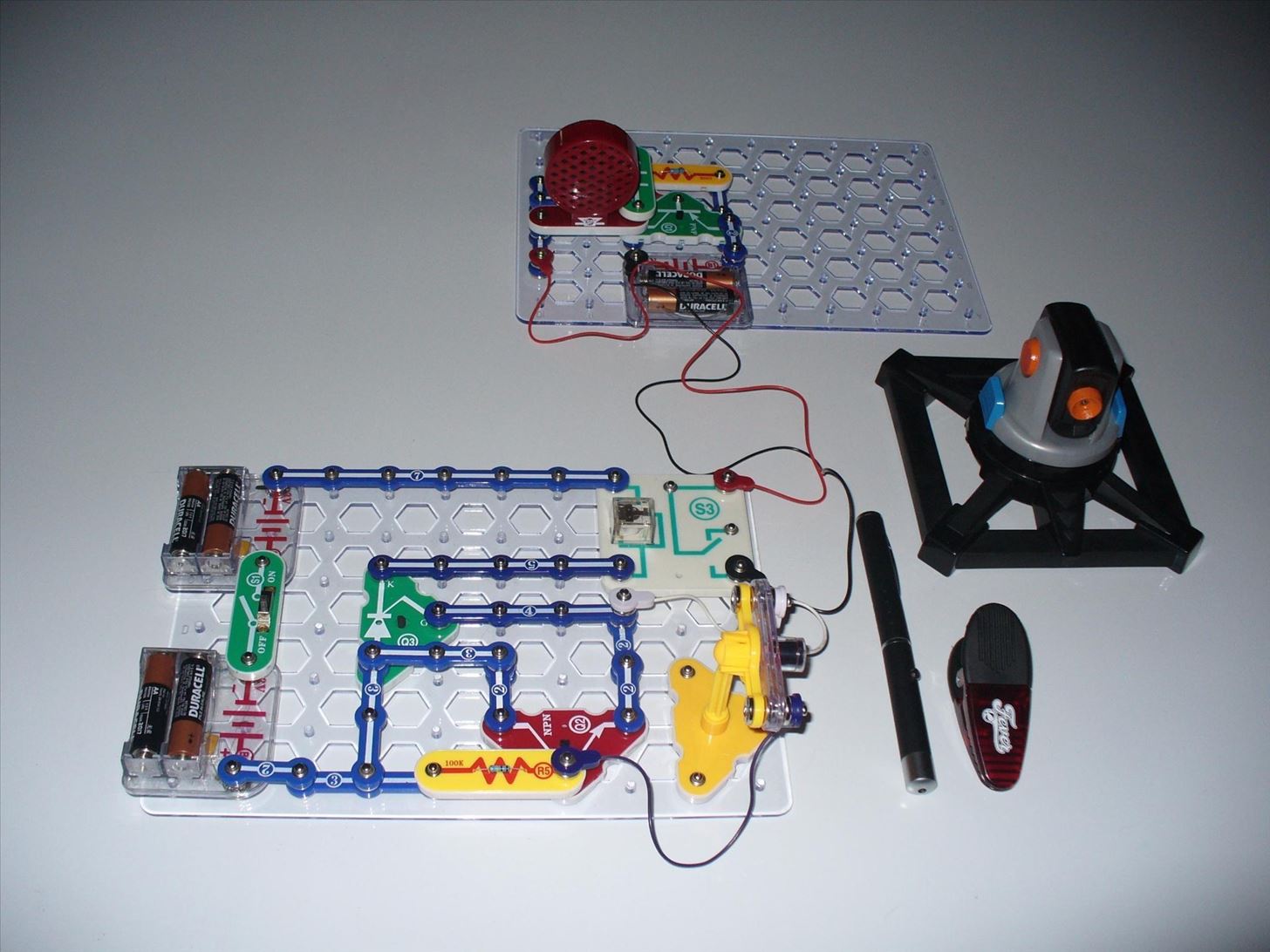
Want to learn how to build a laser tripwire and alarm out of snap circuits? I'll show you how to build both circuits— the laser tripwire circuit and the alarm circuit.
The alarm is a very simple two-transistor oscillator that is switched on by the relay in the laser tripwire circuit. Once you have built the two circuits, you will then need to set up the laser pointer where someone is likely to break the laser beam and trip the alarm. The Spynet Laser Tripwire system was the inspiration for this build. I wanted to see if I could build my own laser tripwire. I also improved on it by adding the relay to switch on an external circuit. I used the two-transistor oscillator as an example, but one could use the relay to switch on any number of external circuits such as floodlights, home alarm systems, etc.For a complete step-by-step build of the laser tripwire and alarm, visit my project on Make.


Samsung always puts a lot of bloatware in its devices. It puts so much that a 16 GB Galaxy S4 or Galaxy S5 has only 7 GB of memory left for the user to use. Other 8-9 GB are all taken by Samsung' s bloat and features that not all can appreciate. Some even call them gimmicks.
How to Remove All Bloatware on Your Galaxy Note 9 « Android


You can play a video in full screen mode or resize it to dimensions that you specify. You can also control the volume, play the video repeatedly (in a loop), and show the media controls. These Play options aren't available for online videos, such as YouTube videos. They are only available for videos inserted from your computer, network, or
Automatically Playing an Embedded YouTube Video in - Blogger


You may be a person who really sees a need to understand how to hack someone's phone pictures.Whether it is because of infidelity or concerns that you have for other reasons, you may be aware that having the ability to look at images on someone's phone is a benefit to you.
How to Hack Someone's Cell Phone to Steal Their Pictures
naradanews.com/2016/07/how-to-hack-someones-cell-phone-to-steal-their-pictures/
With access to the numbers a cell phone has contacted and access to the text messages that have been sent from it, it's not too hard to spoof someone's number. Instead of trying to steal the photos off the phone, you can trick them into sending them directly to you.
Hack Someones Android Cellphone To Steal Their Pictures

Top 10 Hidden Windows Features (You'll Wish You Knew Sooner


If you are not able to transfer a file with Bluetooth, depending on the file type and size you may be able to email it to your phone's email address, set up through your provider. See Email to a Cell Phone for more information. Sometimes MP3 files will not work on older phones or on phones that restrict file types.
How to Share Files Over Bluetooth in Windows 10 - groovyPost


In this video, learn how to crack open, dissaemble and take the back off an Apple iPhone 2G (1st generation). Advice from the Internet: Don't try this unless you have done like-attempts before successfully. It is very difficult to replace an IPhone 2G back cover with a new one, so beware
iPod Touch 1st Generation Repair Take Apart Video - YouTube


If maintaining privacy is an ongoing battle, the front line is your smartphone. Apple included several new security features in iOS 10, but at the same time, some of the best new functionality comes with potential privacy trade-offs that everyone needs to understand.
Ads Taking Over Your Lock Screen? Here's How to Fix It


How To: Watch the 2013 Super Bowl XLVII Commercials Live Online How To: Watch Saturday's 2012 Wild Card Doubleheader Football Games Online How To: 5-Minute Super Bowl Snacks for the Win How To: Watch the 2014 Super Bowl XLVIII Game Online or Live Stream to Your Phone or Tablet
NFL.com - Official Site of the National Football League


However, those with 4.0 and higher (like use Samsung Galaxy S3 owners) can still take advantage of these power-saving notifications by simple enabling the app in the Accessibility settings.
How to Get Motorola's Active Display Features on Your Pixel


How to Unlock a Samsung Galaxy Phone to use on other Network Sim Cards. This is the same Samsung Unlock Code that Carriers use to Unlock their Samsung Phones. We can EVEN Unlock the Samsung Phones your Carrier CANNOT or will NOT unlock for you!
Unlock Samsung Phone | Unlock Code - UnlockBase


Which Stores Accept Apple Pay? The Always Up-to-Date List Apple Pay has been available to use in stores and select apps and websites ever since its first appearance in iOS 8.1. Now that iOS 11 is out, there are currently ten different iPhone models that support Apple Pay functionality without the use of an Apple Watch, and the list of partnered
Spy App for iPhone 6 Free - How To: Which Stores Accept Apple
stellest.com/spy-app-for-iphone-6-free
Spy App for iPhone 6 Free - How To: Which Stores Accept Apple Pay? The Always Up-to-Date List - Découvrez l'univers de Stellest - Art énergie renouvelable - Art solaire - Trans nature art - Artiste Stellest énergie renouvelable - Art cosmique - Nature Art stellest - Tête Solaire Stellest - Stellest
This List Includes Every Retailer That Accepts Apple Pay

Finally! A Keyboard for Smartwatches That Actually Works


Hey youtube im here once again with a cydia tweak review that goes by the name of wifiicons a tweak on cydia for free from ryan pertrichs repo. This tweak basically set shortcuts for WiFi settings
How to manually add Music to iPhone, iPad or iPod Touch from


Caller ID Blocking blocks your number from being displayed through Caller ID either permanently or temporarily. It's a free service. Note: You can't block your number from appearing when calling certain numbers, such as 800 numbers and 911.
How To Block Your Number From Caller ID - A New Cell Phone